CoachTrack

Run your team
like a pro.

Track matches live, follow player performance over time, and keep parents in the loop, everything a grassroots football coach needs, all in one app.

Free forever No ads No tracking iOS & Android
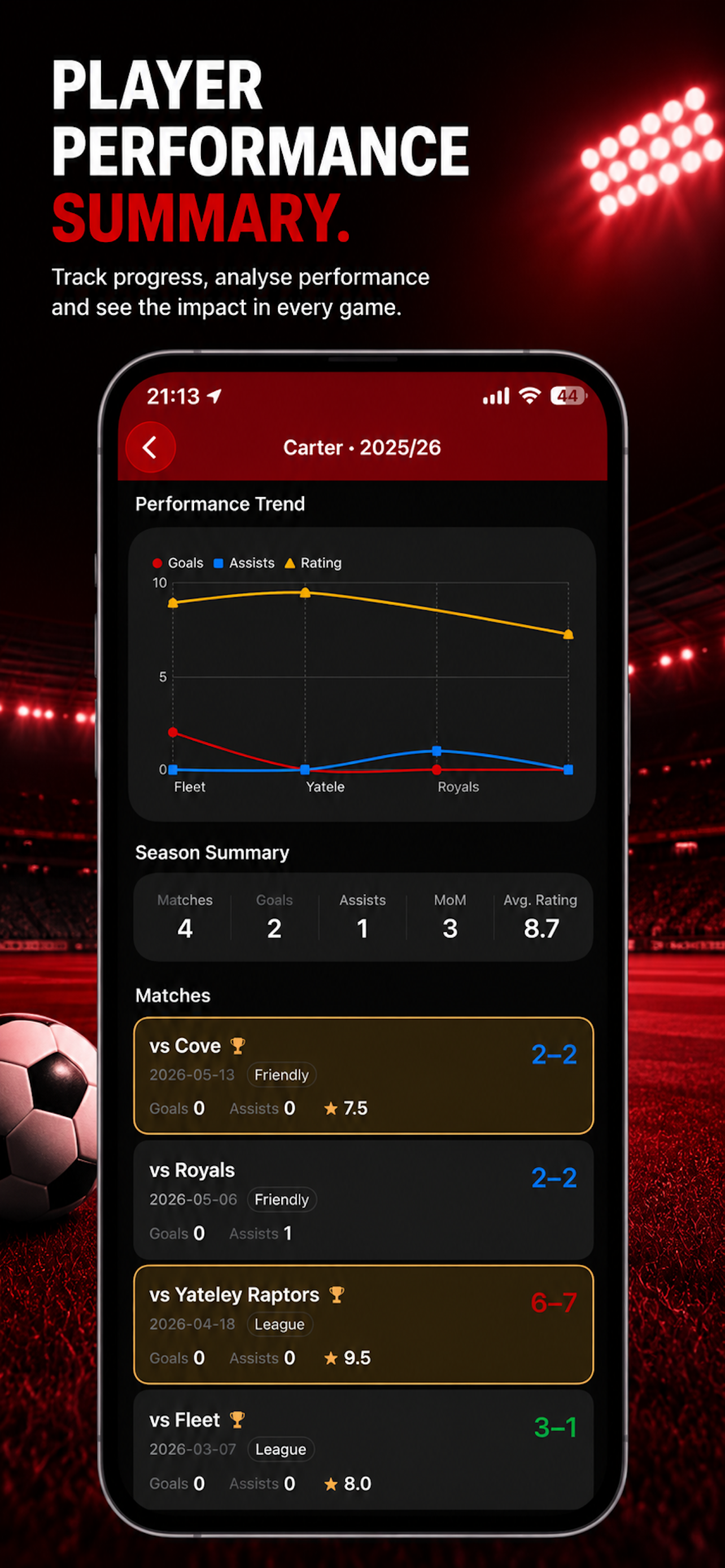
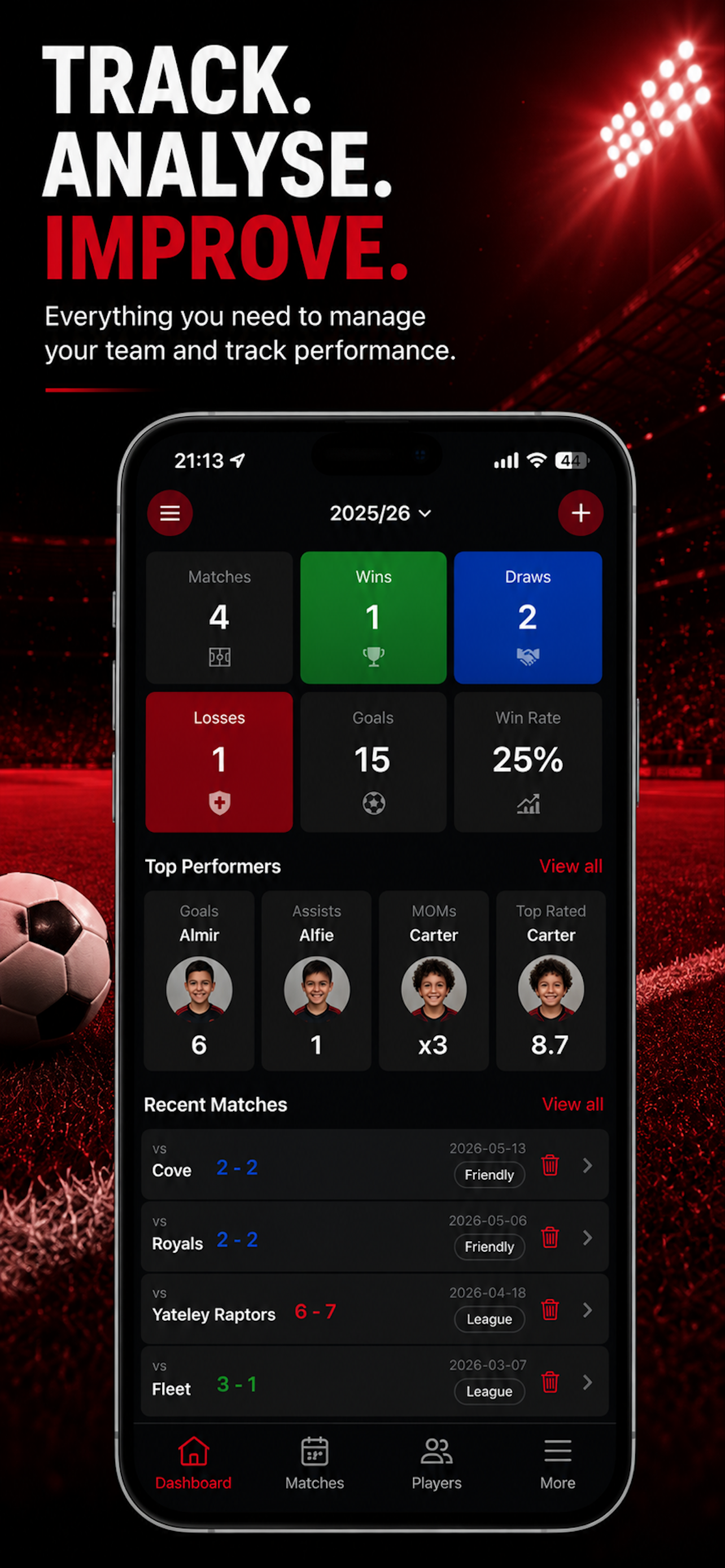
Player performance summary screen Team dashboard screen

Features

Everything a grassroots coach needs

Live Match Tracking

Record goals, cards, substitutions and more in real time. Match periods and timings are tracked automatically.

Player Statistics

Track goals, assists, ratings and performance trends across the season.

Parent Access

Keep parents updated with player stats and upcoming matches while staying in control of what's shared.

Squad Management

Organise players, positions and shirt numbers across multiple seasons.

Availability Tracking

See who's available before naming the squad.

Private by Design

No ads. No tracking. Your data stays yours.

Simple to use

How CoachTrack works

Set up your squad

Add players, positions and shirt numbers. Invite co-coaches to help manage the team.

Record the game live

Log goals, cards and substitutions on the touchline. Timings are captured automatically.

Keep parents in the loop

Parents are notified when their child is selected and can confirm availability instantly.

Coaches stay in control. Parents stay informed.

One app for everyone involved.

Coaches love CoachTrack

  • Live match tracking
  • Multi-season management
  • Performance trends
  • Availability summaries
  • Assistant access

Parents love CoachTrack

  • Instant notifications
  • One-tap availability
  • Player stats
  • Upcoming fixtures
  • Read-only access

Spend less time managing.
More time coaching.

Everything your team needs, in one app.

Frequently asked questions

Yes, CoachTrack is free to download and use on both iOS and Android.
Yes. You can create and manage multiple teams from a single account, each with their own players, seasons, and match history.
The coach invites a parent by email from the player's profile. The parent creates a free account and can immediately view their child's data. Coaches can revoke access at any time.
No. Parents have read-only access to their child's stats and upcoming matches. The only action parents can take is confirming their child's availability for a match.
Yes. CoachTrack collects no analytics, uses no ad networks, and shares no data with third parties. Your squad data is stored securely and used only to make the app work.
Yes. You can invite assistant coaches and co-managers to your team from the team settings. Each coach gets their own account and full access to manage players, run matches, and track stats — just like the head coach.
Go to your team's settings and tap "Invite Coach". Enter their email address and they'll receive an invitation to join. Once they accept and create a free account, they'll have immediate access to the team.
Yes. You can have as many active seasons as you like simultaneously. This is great for keeping competitions separate — for example, you might run a "League 2024/25", a "Cup Run", a "Summer Tournament", and "Friendlies" all at once. Each season has its own matches, stats, and leaderboards.
Think of seasons as collections. Many coaches create separate seasons for their league, cup, friendlies, and any tournaments they enter. This keeps stats clean and comparable — your cup goals won't dilute your league stats, and you can review each competition independently at the end of the year.
CoachTrack requires an internet connection to sync data. We recommend loading your match before heading to the pitch to ensure everything is available.
You can delete your account and all associated data directly from the app via Settings → Account → Delete Account. All your data is permanently removed.